




QUESTIONS & ANSWERS
Have a Question?
Be the first to ask a question about this.
Description
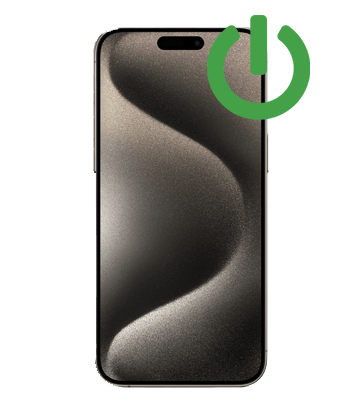
The side button does more than lock the iPhone 18 Pro Max. It confirms Apple Pay, wakes Siri and forces a restart. When it stops clicking cleanly, all of that goes with it.
About the iPhone 18 Pro Max
The iPhone 18 Pro Max is part of Apple's fall 2026 lineup. We keep an eye on parts for it every week, and quote honestly on what we can source today. It is Apple's newest and largest Pro, and replacement parts are only starting to reach the repair market.
Signs you need this repair
- Screenshots and forced restarts fail
- Button feels stuck, flat or mushy
- You have to press hard or several times
What we do
We replace the side button flex cable and check the button itself for damage to the frame. Then we test locking, Siri, Apple Pay double-click, screenshots and a forced restart.
Price
The price shown is a placeholder while we lock in part costs for the iPhone 18 Pro Max. We will quote you before touching the phone: call 888-494-4349 or order now and we will contact you after inspection.
Mail-in or walk-in
Not near Florida? Check out here and a prepaid UPS label, insured for $100, lands in your inbox. Send just the iPhone 18 Pro Max in a padded box with your order email inside. We confirm the fault on arrival, do the repair, run final testing and send it home with tracking.
Local? Bring it to our Jupiter store on Donald Ross Road. We are open Monday to Saturday 10 to 7, and Sundays 11 to 5 by appointment.
Warranty
You get a 90-day warranty on the part we fit. If it fails from a defect in that time we fix it free; new accidental damage is not included.
Common questions
Can I use my iPhone without the side button in the meantime?
Yes. Turn on AssistiveTouch in Settings > Accessibility > Touch to get an on-screen button that can lock the phone and take screenshots.
Is this the same as the Camera Control?
No. This repair covers the side (power) button only.
How do I check that my phone is an iPhone 18 Pro Max?
Open Settings > General > About. The Model Name line should read iPhone 18 Pro Max. If it shows something else, pick that model's repair instead, or call us and we will point you to the right one.
Not sure this is the right repair? Call 888-494-4349 or email support@ifixyouri.com and a technician will talk it through with you.
Payment & Security
Your payment information is processed securely. We do not store credit card details nor have access to your credit card information.