




QUESTIONS & ANSWERS
Have a Question?
Be the first to ask a question about this.
Description
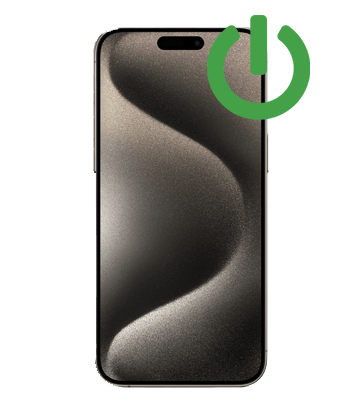
The side button does more than lock the iPhone 16 Pro. It confirms Apple Pay, wakes Siri and forces a restart. When it stops clicking cleanly, all of that goes with it.
About the iPhone 16 Pro
The buttons on the iPhone 16 Pro sit in its titanium frame, with the flex cables running just inside the edge. Even a small dent in the frame can press on a button and make it feel stuck. Apple grew the Pro to 6.3 inches this year and gave it the 5x tetraprism telephoto that used to be Pro Max only.
At a glance
- Released: 2024
- Display: 6.3-inch ProMotion OLED
- Frame: titanium
- Rear cameras: a 48MP Fusion camera, a 48MP Ultra Wide and a 12MP 5x telephoto
- Front camera: 12MP TrueDepth front camera
Signs you need this repair
- Apple Pay double-click or Siri does not trigger
- Screenshots and forced restarts fail
- Button feels stuck, flat or mushy
- You have to press hard or several times
What we do
We replace the side button flex cable and check the button itself for damage to the frame. Then we test locking, Siri, Apple Pay double-click, screenshots and a forced restart.
Price
- Power Button Flex: $118.99
Every repair starts with incoming diagnostics. If we find anything else, we contact you before doing more work.
Mail-in or walk-in
Not near Florida? Check out here and a prepaid UPS label, insured for $100, lands in your inbox. Send just the iPhone 16 Pro in a padded box with your order email inside. We confirm the fault on arrival, do the repair, run final testing and send it home with tracking.
Prefer to hand it over in person? Our Jupiter store on Donald Ross Road takes walk-ins six days a week, 10 to 7, with Sunday appointments 11 to 5.
Warranty
Every part we install carries a 90-day warranty. That covers the part and our work, not fresh drops or liquid.
Common questions
Can I use my iPhone without the side button in the meantime?
Yes. Turn on AssistiveTouch in Settings > Accessibility > Touch to get an on-screen button that can lock the phone and take screenshots.
Is this the same as the Camera Control?
No. This repair covers the side (power) button only.
How do I check that my phone is an iPhone 16 Pro?
Open Settings > General > About. The Model Name line should read iPhone 16 Pro. If it shows something else, pick that model's repair instead, or call us and we will point you to the right one.
Talk to a real technician at 888-494-4349, or email support@ifixyouri.com. We are happy to confirm the fault before you buy.
Payment & Security
Your payment information is processed securely. We do not store credit card details nor have access to your credit card information.